PixKit
How to Convert PDF Pages to Images (JPG, PNG, WebP)
Learn when and how to turn PDF pages into images, which format and resolution to choose, and how to export every page at once.
When you need PDF pages as images
Many places accept pictures but not PDFs: chat apps, presentation slides, social posts, some government and school forms, and image-only content management systems. Turning a page into an image also lets you crop out a signature, a chart or a single paragraph.
PNG, JPEG or WebP?
- PNG keeps text crisp and is best for documents, slides and diagrams. Files are larger.
- JPEG is smaller and suits scanned pages or pages dominated by photos. Text can show faint artefacts at low quality.
- WebP is usually the smallest of the three at similar quality and is supported by modern browsers and apps.
Choosing a resolution
A PDF page has a physical size (A4 is about 595 × 842 points) but no fixed pixel count, so you decide how many pixels the image gets. For on-screen use, 1600 px on the long edge is plenty. For zooming into small print or printing at A4, choose 2500 px or more. Higher resolution means larger files and more memory used while rendering.
Converting one page, several pages, or all of them
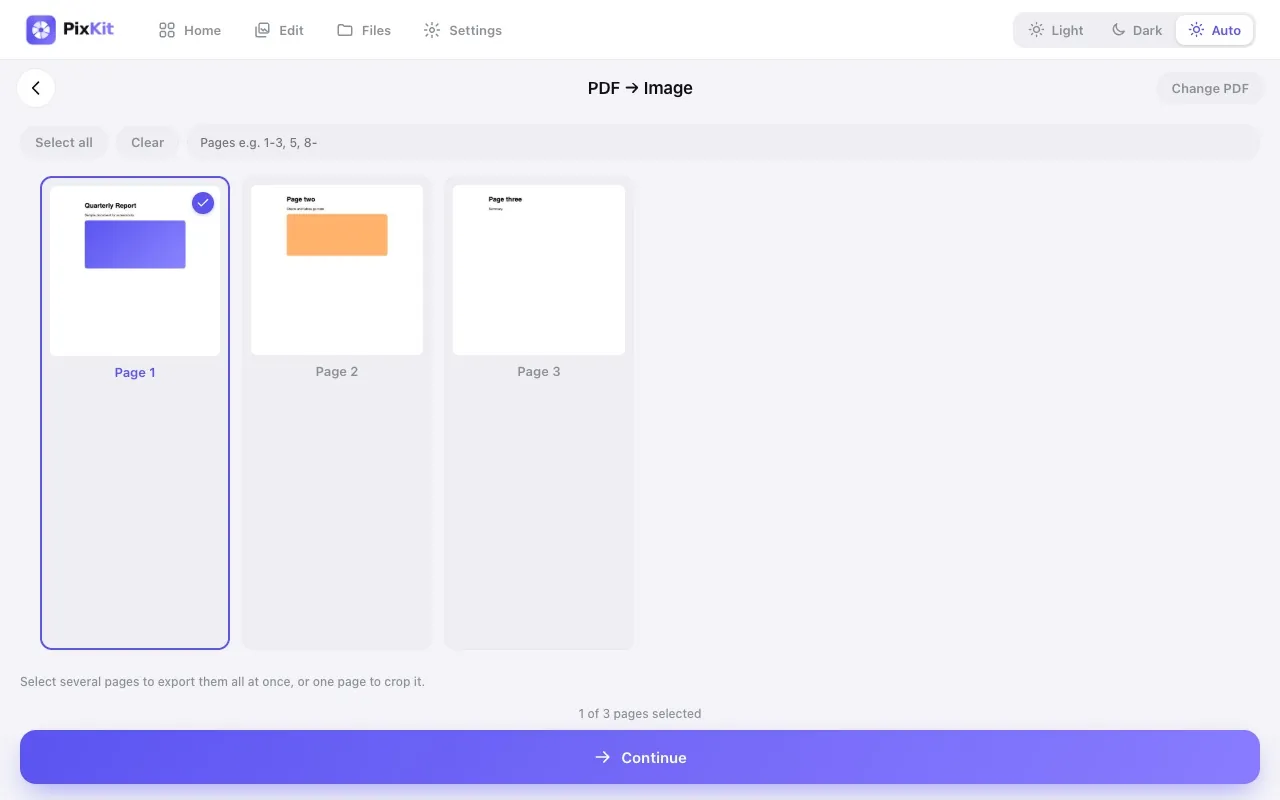
Open the PDF in PixKit, then tap the pages you want. You can select every page, or type a range such as 1-3, 5 or 8- (page 8 to the end). With a single page selected you can crop before exporting. With several selected, every page is rendered and you can download images one by one or all together in a ZIP file named after your PDF.
Keeping documents private
Contracts, IDs and bank statements are exactly the files you should not upload to random converters. PixKit renders PDFs inside your own browser with the open-source PDF.js library. The file is never sent anywhere.
Troubleshooting
- Password-protected PDFs cannot be rendered. Remove the password first with the app that created it.
- If a page looks blank, try a different resolution or re-save the PDF.
- If your device slows down on a huge PDF, export in smaller batches of pages.
Try PDF to Image freeAbout this tool
More guides